Skip to content
In Active Development · iOS 18

HomeReserve. Your home, scheduled.

A native iOS app that turns shared household spaces into shared time. Built with Swift & SwiftUI for households that actually live together.

HomeReserve welcome screen on iPhone

Project

Your Space

Platform

Native iOS 18

Stack

Swift · SwiftUI

Role

Design & Build

At a Glance

Designed in detail.

5

Tabs across the app

10

Custom resource colors

12+

Common space presets

Live

Real-time scheduling

Onboarding

Setup that feels personal.

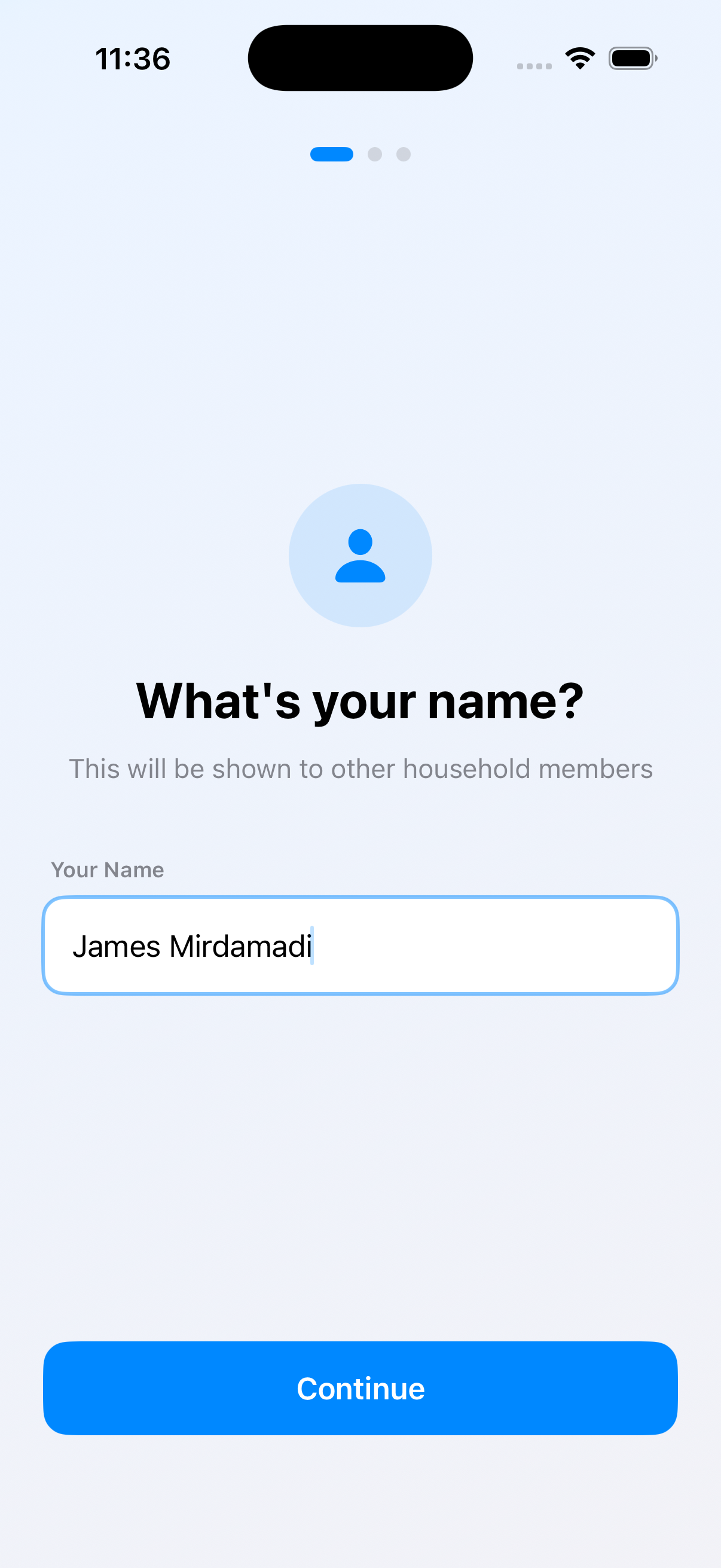
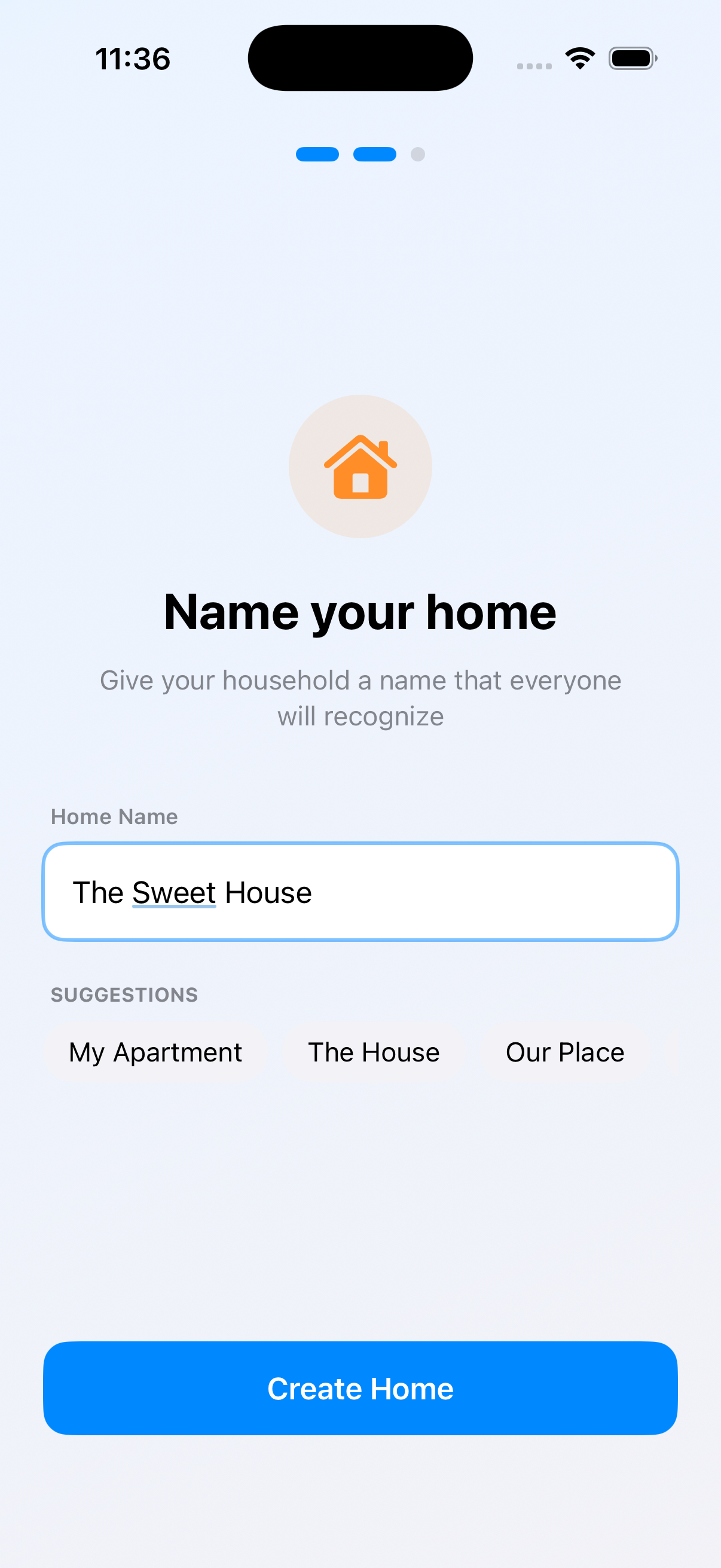
Three quick steps. Your name, your home, your people. From the first launch HomeReserve adapts to your household — not the other way around.

Onboarding: enter your name
Onboarding: name your home with smart suggestions

Schedule

Always know what's happening. Right now.

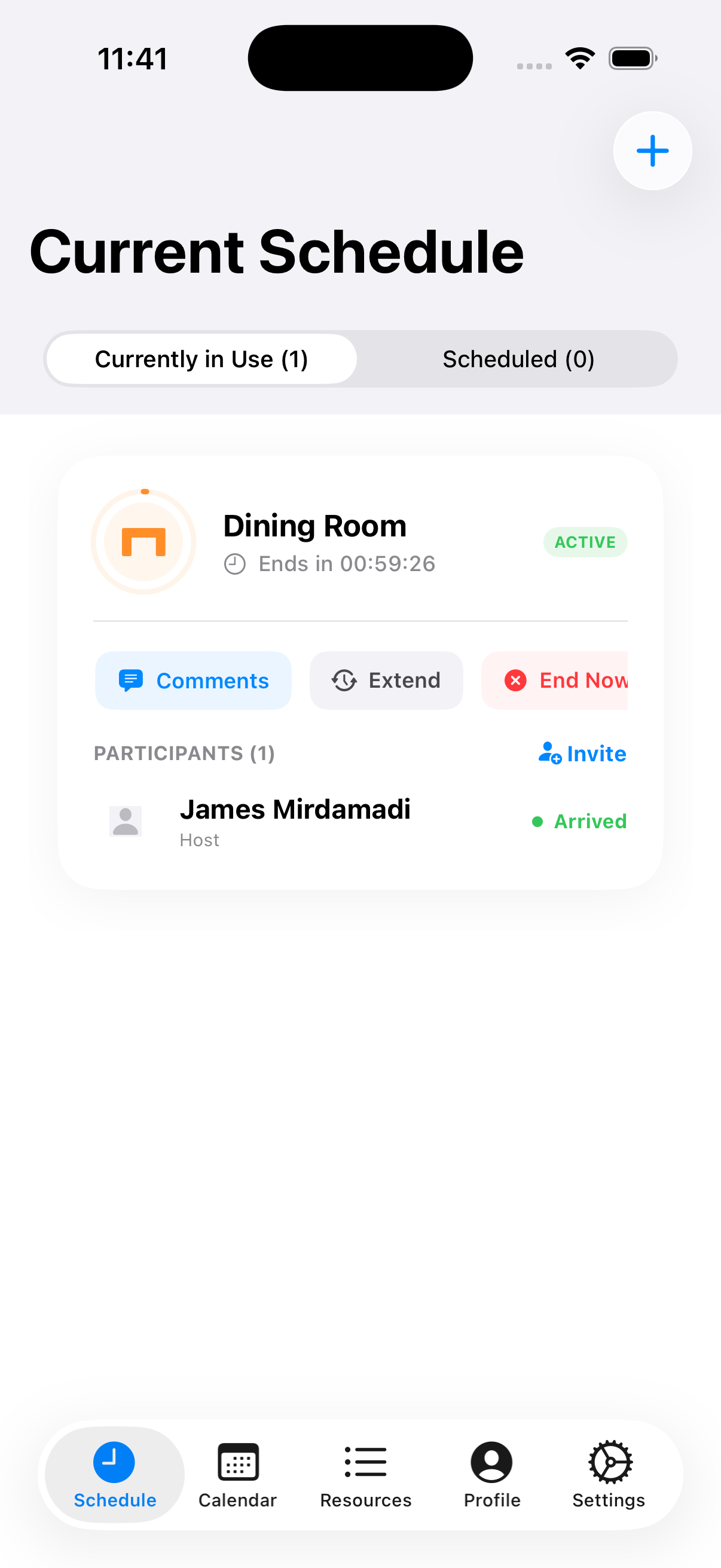
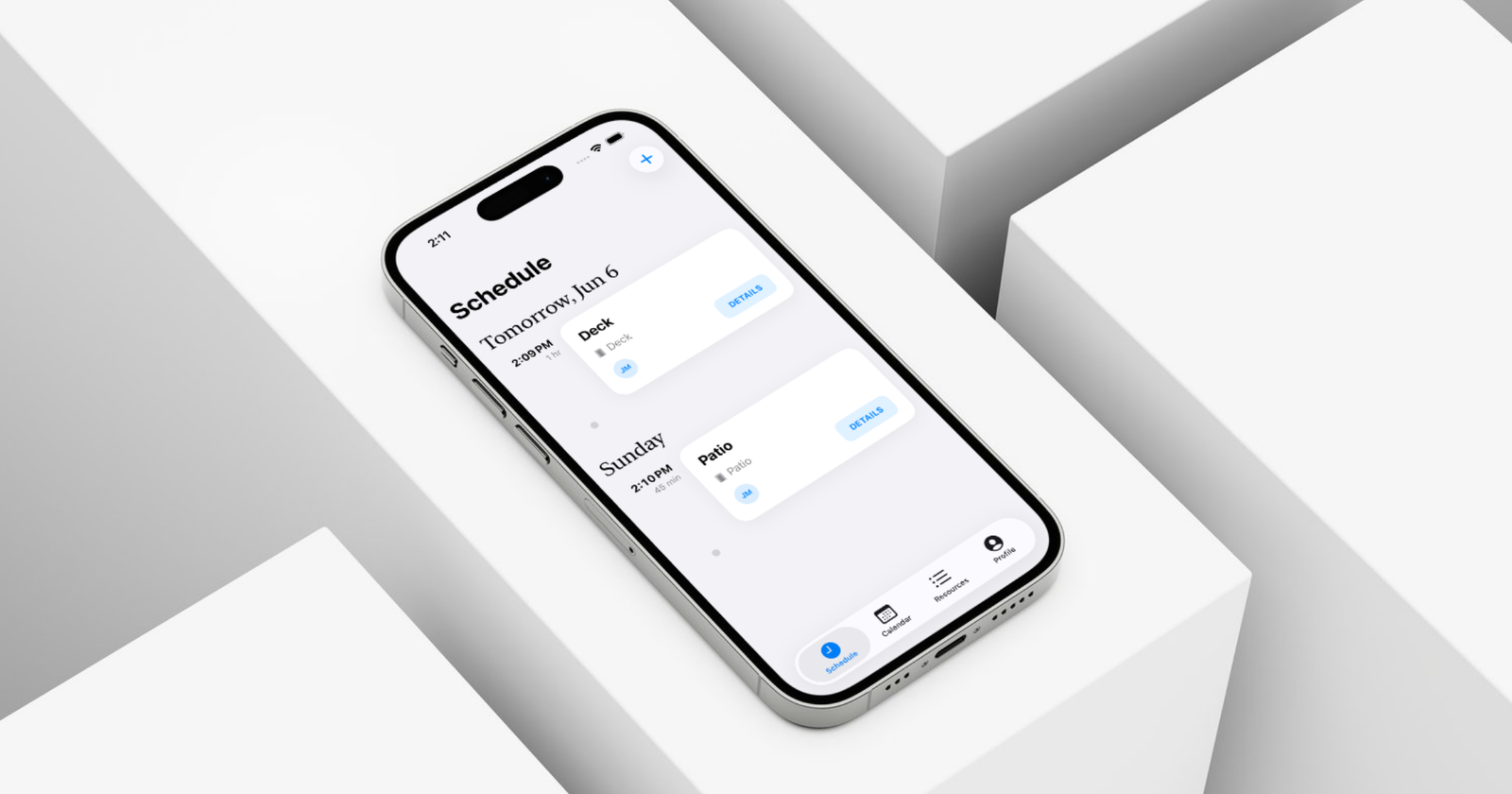
The Schedule tab is mission control for your household. See what's in use right now, what's coming up, and act on any reservation in a single tap.

  • Live status with countdown timer per active reservation
  • Split between Currently in Use and Scheduled
  • Tap to extend, end early, or jump into the discussion
  • Empty states designed to guide first-time use
Active reservation with live countdown and quick actions

Resources

Build your space, piece by piece.

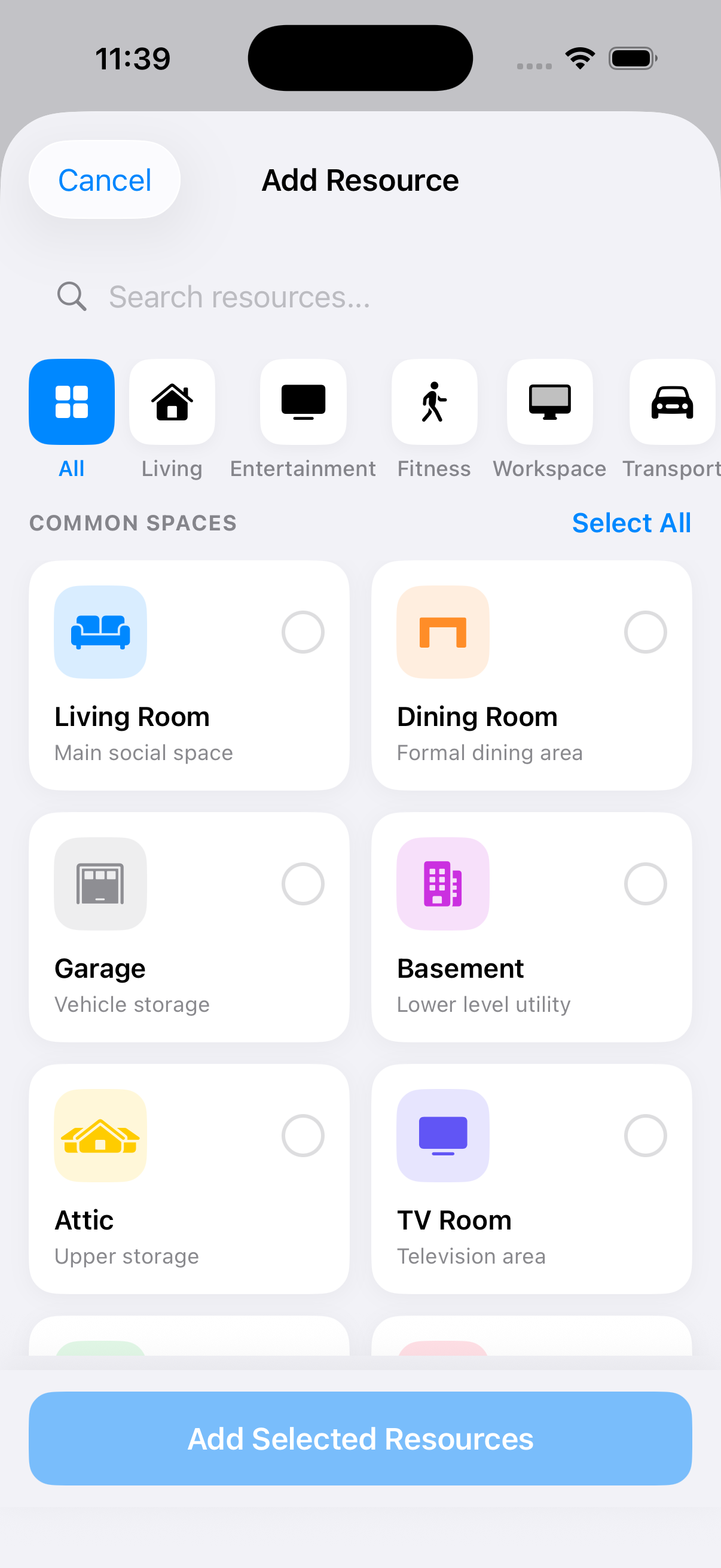
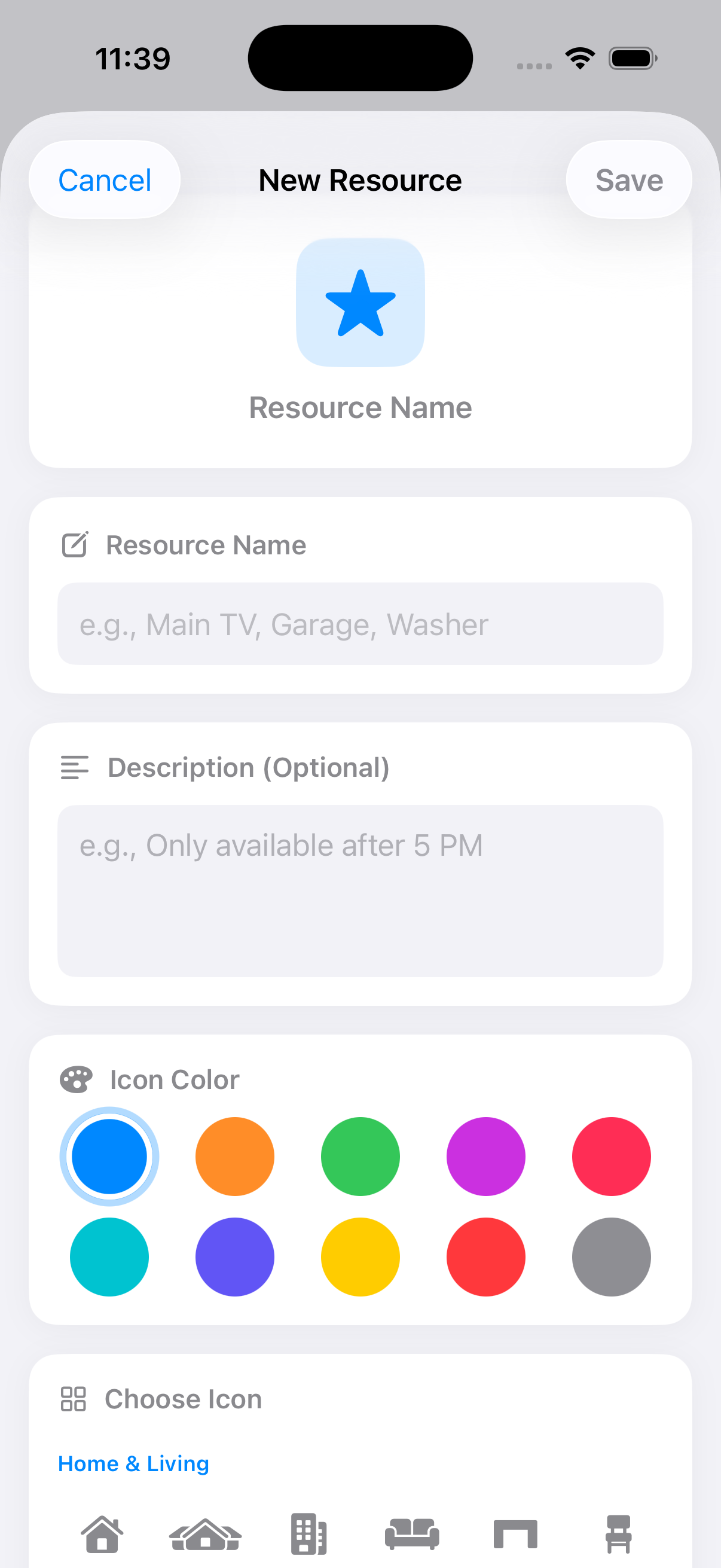
From living rooms to laundry pods. Pick from curated common spaces, or design your own — with ten colors, dozens of icons, and just enough customization to feel like home.

Add Resource picker with categories and common spaces
New Resource form with icon and color customization

Categories

Living · Entertainment · Fitness · Workspace · Transport

Customize

Name, description, color, icon

Quick start

Multi-select common spaces

Search

Find any resource instantly

Calendar

Plan your week. Or your month.

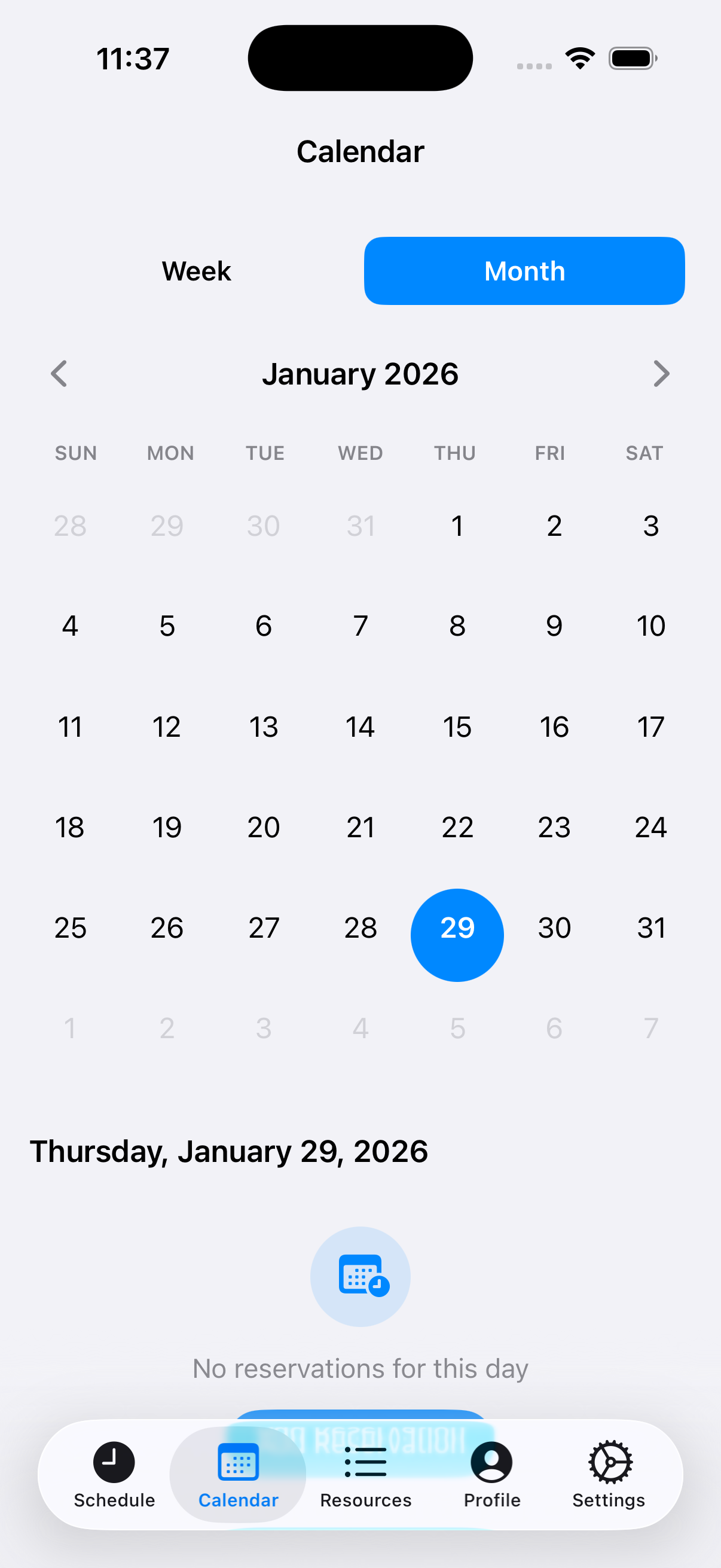
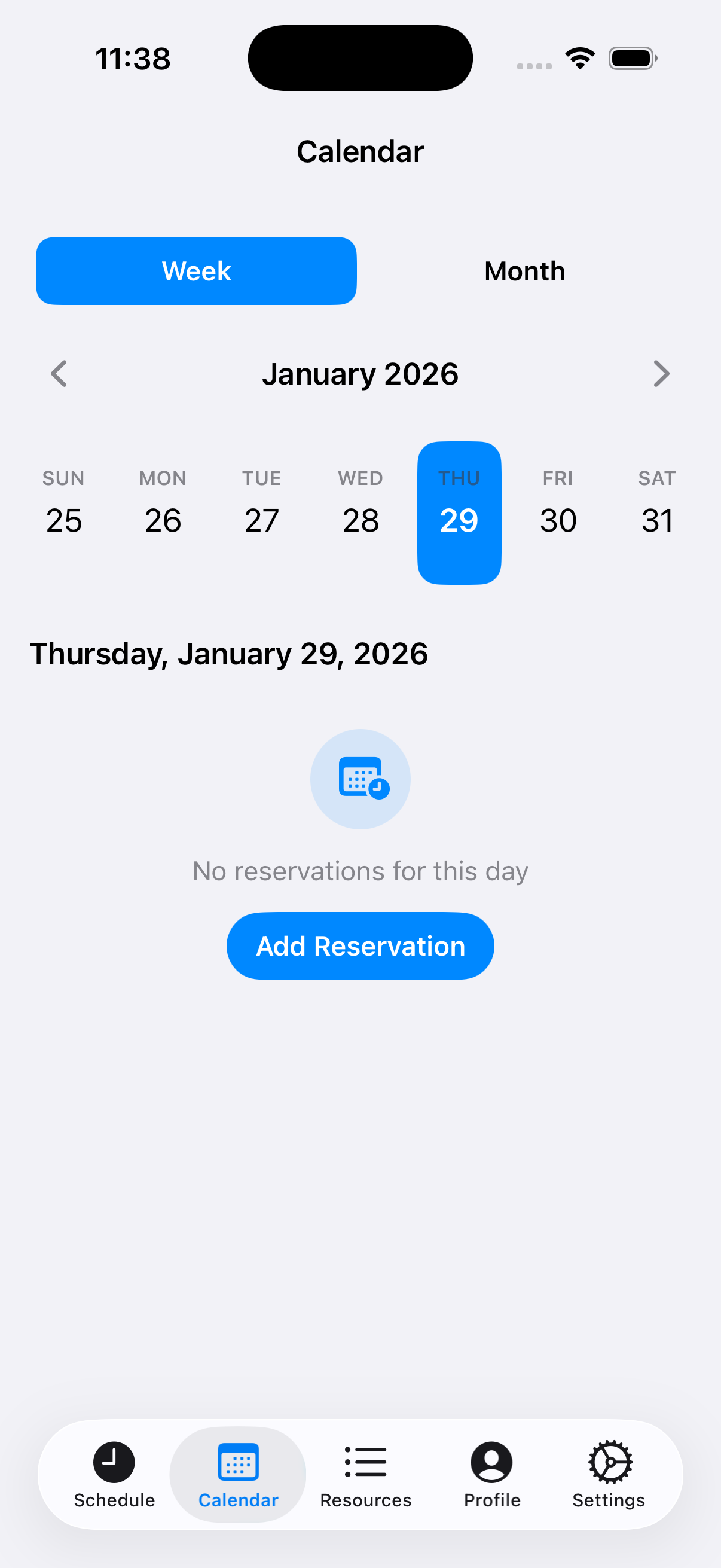
Switch between focused week views and panoramic month views. Tap a day to see exactly what's reserved.

Month calendar view with selected date
Week calendar view with quick add

Coordination

Booking is just the beginning.

A reservation isn't a static record. Extend on the fly. Comment as you go. Pull a roommate in.

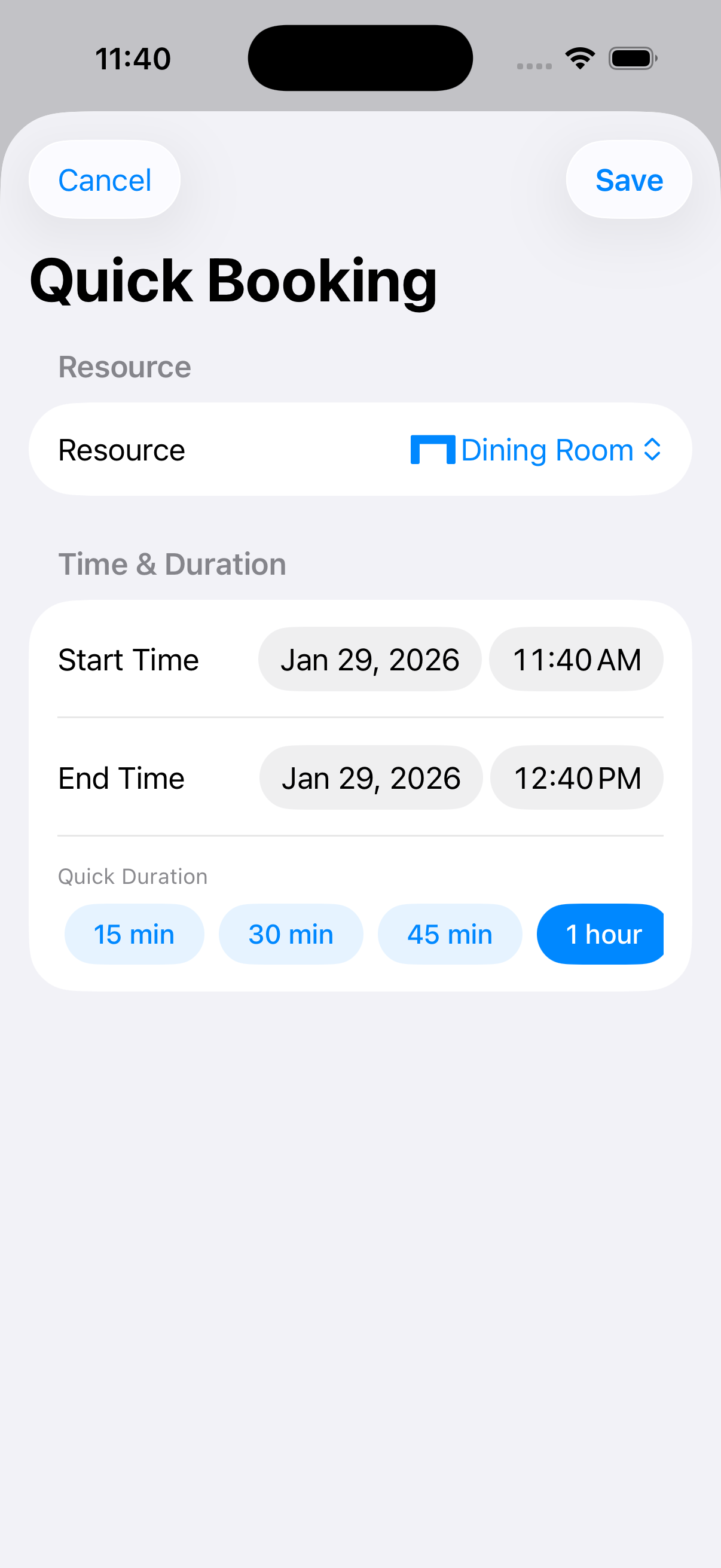
Quick Booking with smart durations

Quick Booking

Pick a resource, set a duration. Smart presets get you booked in under five seconds.

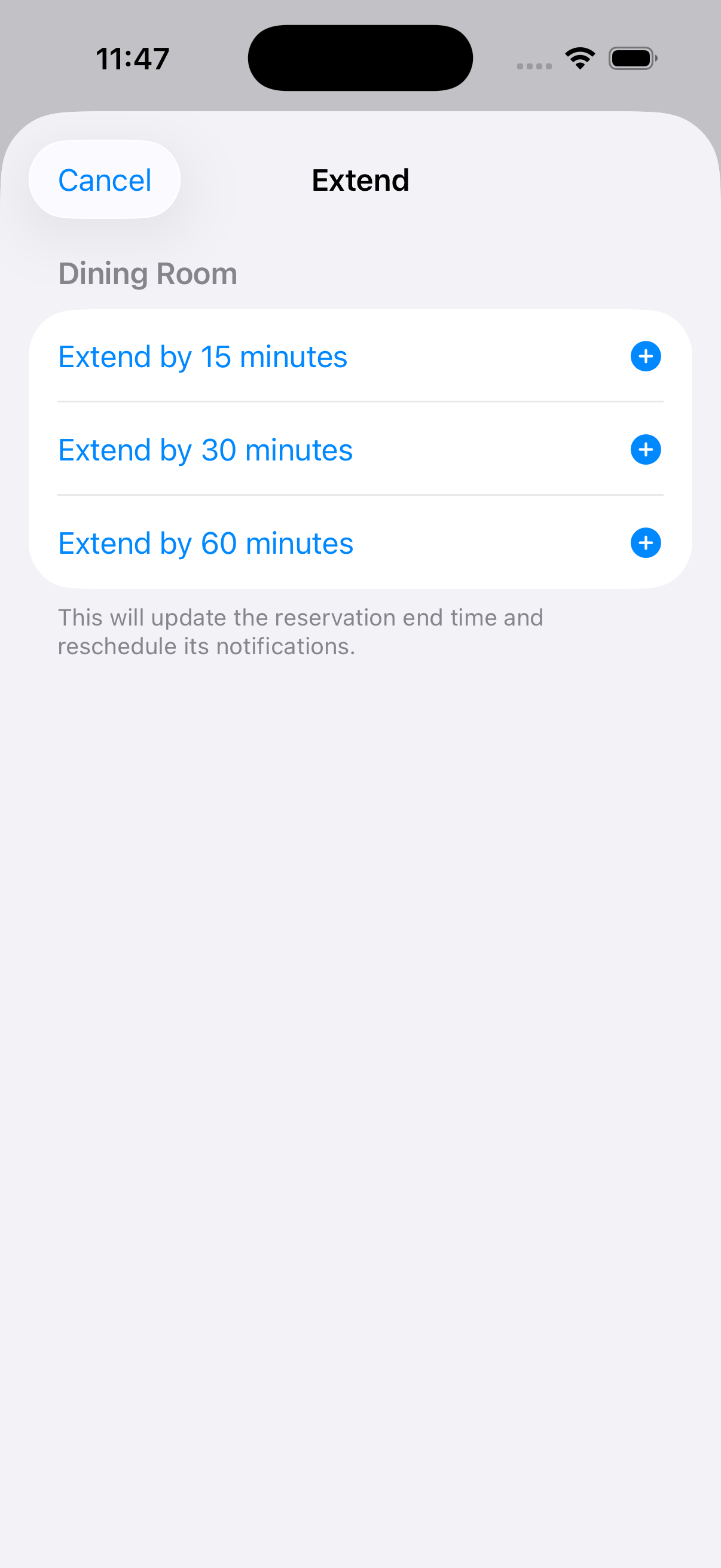
Extend reservation by 15, 30, or 60 minutes

Extend on the Fly

Need fifteen more minutes? End times update automatically and notifications reschedule themselves.

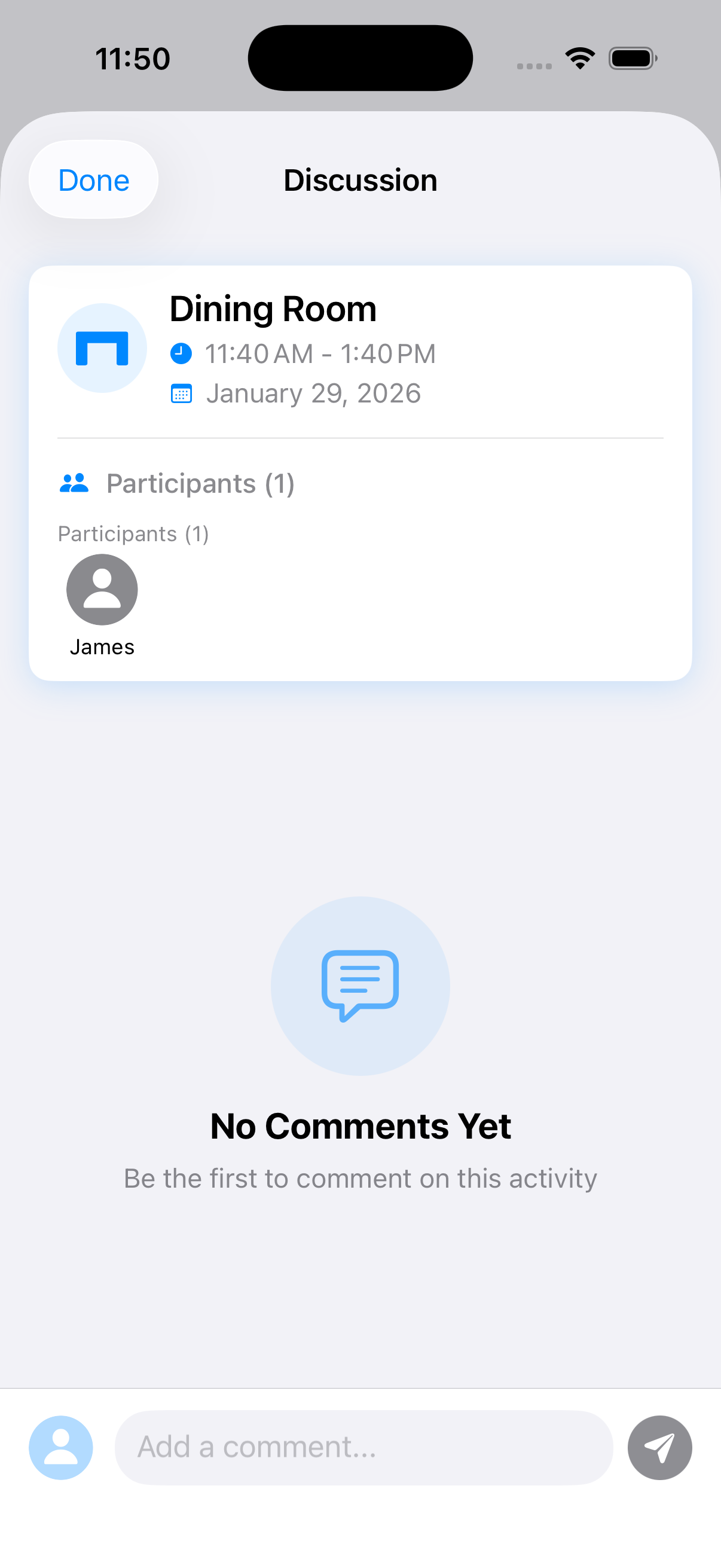
Discussion thread on a reservation

In-Context Chat

Every reservation has its own discussion thread, so you don't have to text three different group chats.

Households

Built around how you actually live.

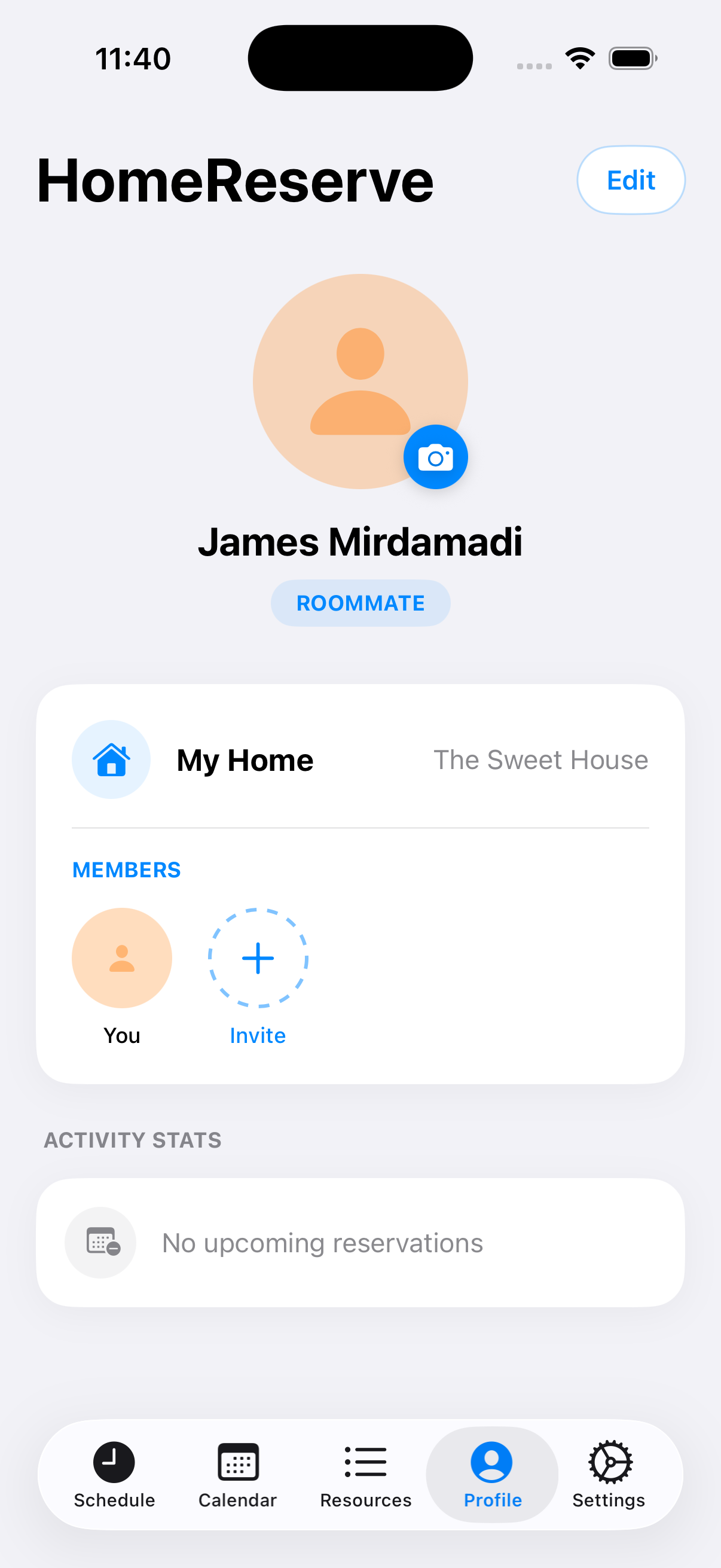
HomeReserve thinks in households, not users. Each member has a role — Roommate, Host, or Guest — and your home is the unit everything revolves around.

  • Profile cards with role badges and per-home identity
  • Members section to invite and manage roommates
  • Activity stats so you can see what your household actually uses
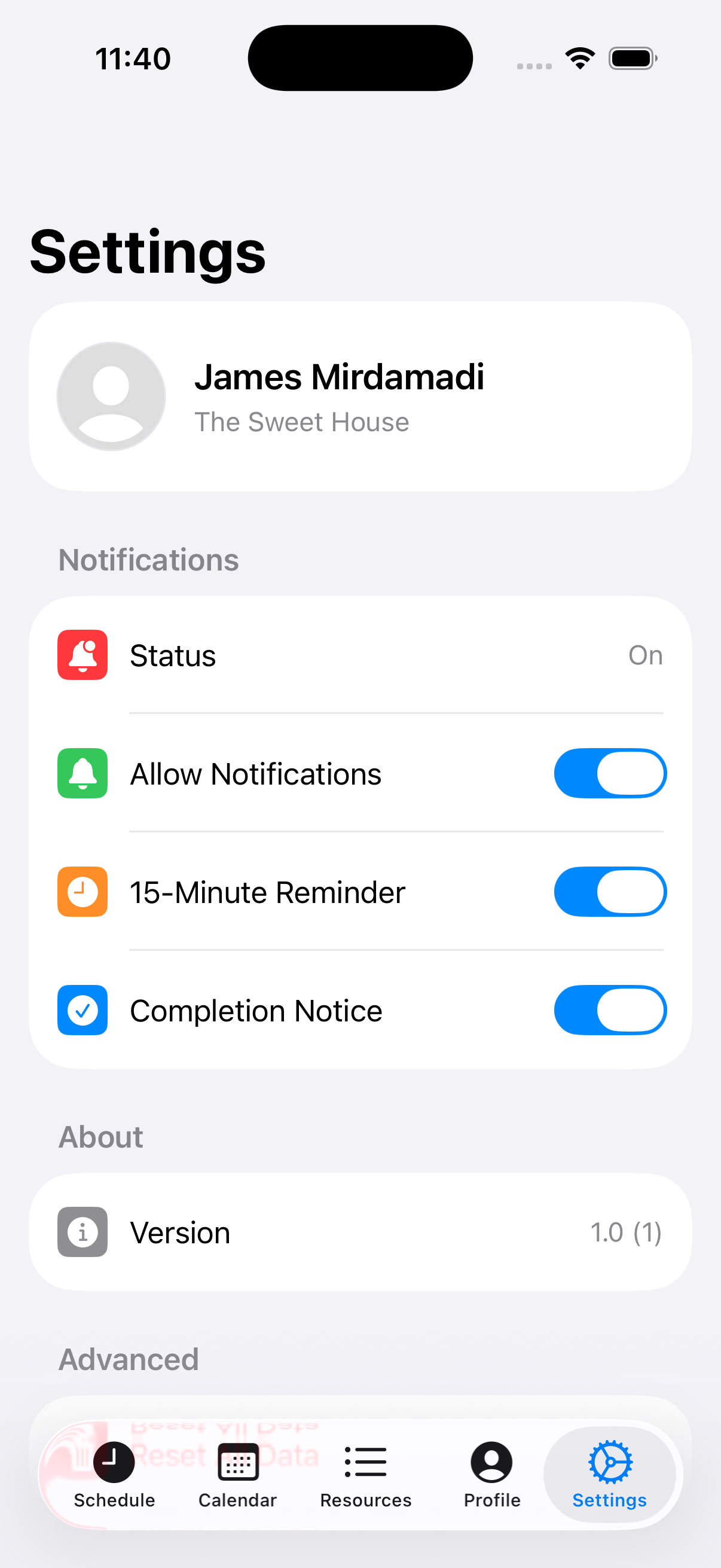
  • Notifications you control: 15-min reminder, completion notice, and more
Profile screen with roommate badge and household members Settings screen with notifications controls

Under the Hood

Native by design. Logical by default.

Build Stack

Swift & SwiftUI, end-to-end

HomeReserve is being built with Swift and SwiftUI for high-performance, platform-native interactions. Smooth state animations, tactile feedback, and a deeply Apple-native feel — all designed to fit fluidly into the iOS ecosystem.

System Logic

Resource allocation rules

The core logic coordinates shared household resources with clear quantity and time constraints — like reserving the dining room for a one-hour dinner, or claiming the garage for two hours. A lightweight rule layer prevents overlap, reduces friction, and makes scheduling transparent for everyone.

Shipping Soon

One household. One schedule.

HomeReserve is currently in active development on iOS 18, with a focus on shipping a polished v1 that respects the way real households move through their day.